How to Buy
Wow...you like this product and would like to buy it.
Follow these steps now
Click on "Buy now"
Enter your correct Email address and click "Pay Now"
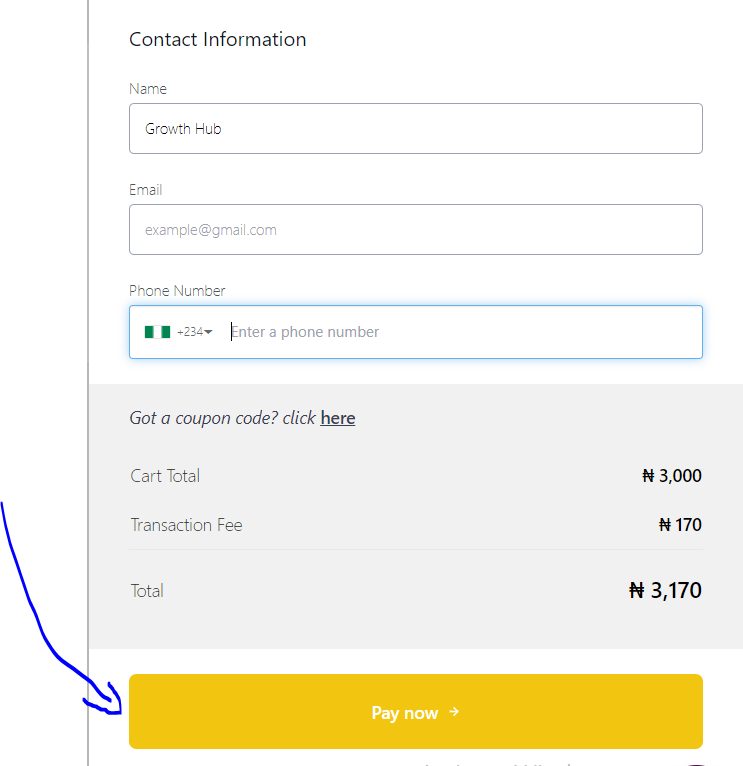
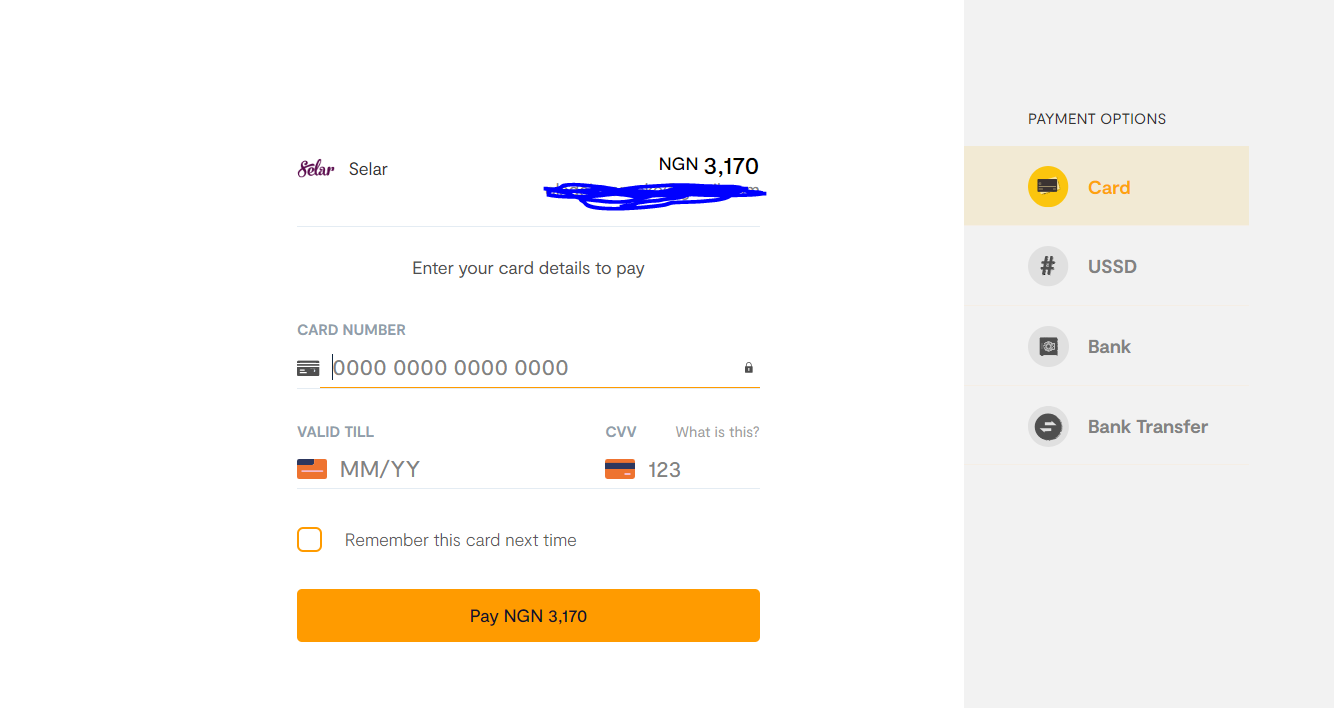
Choose Payment method
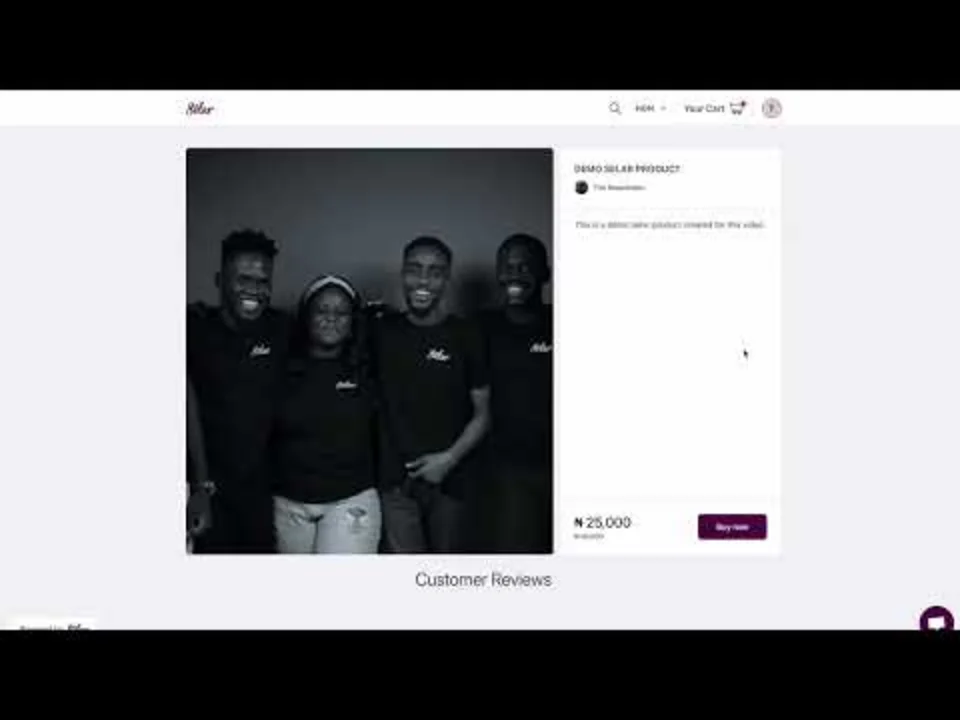
You can also watch this Video guide on how to purchase on selar
Currency Switch
If you want to pay in another curency, you can now switch currency on the store front. Here is how to
- On the store homepage, locate the currency button as displayed below
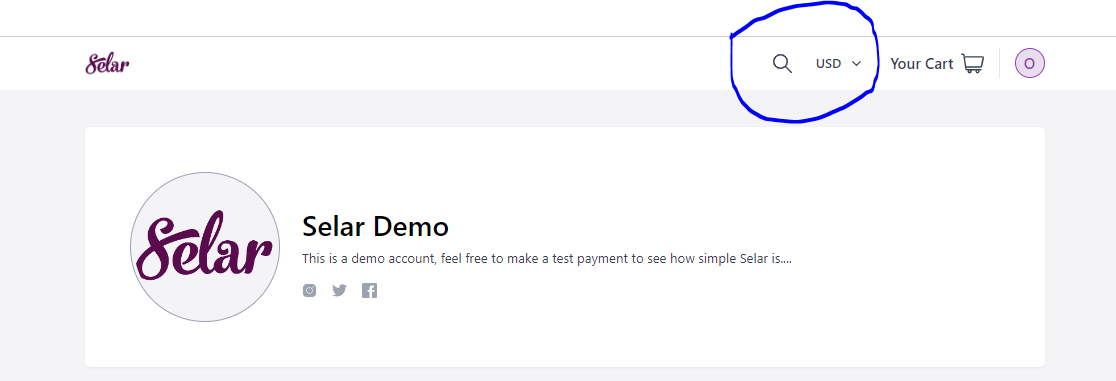
- Next, click on the drop-down button to see all the 13 currencies supported by Selar
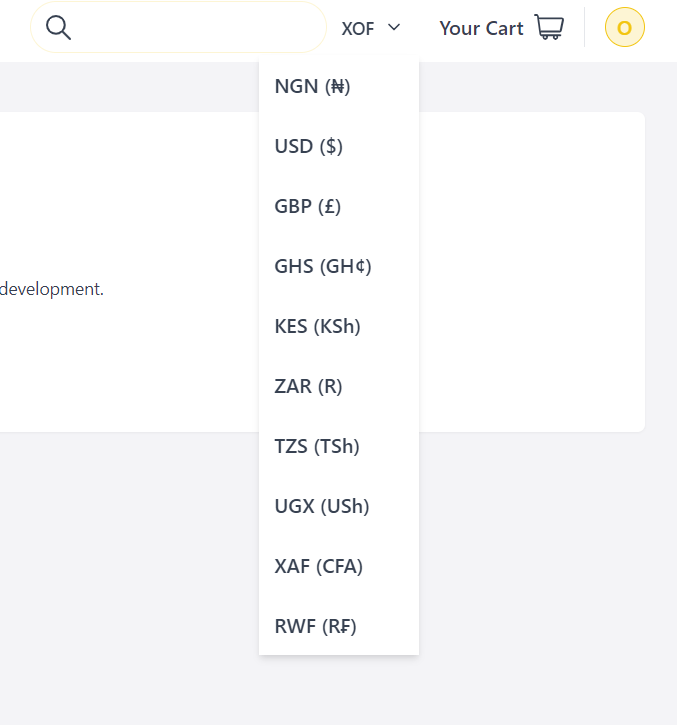
- Now, select the currency you prefer and all the prices on the store will change to the product price in that currency you choose.
P.S: I am switching to UGX from XOF
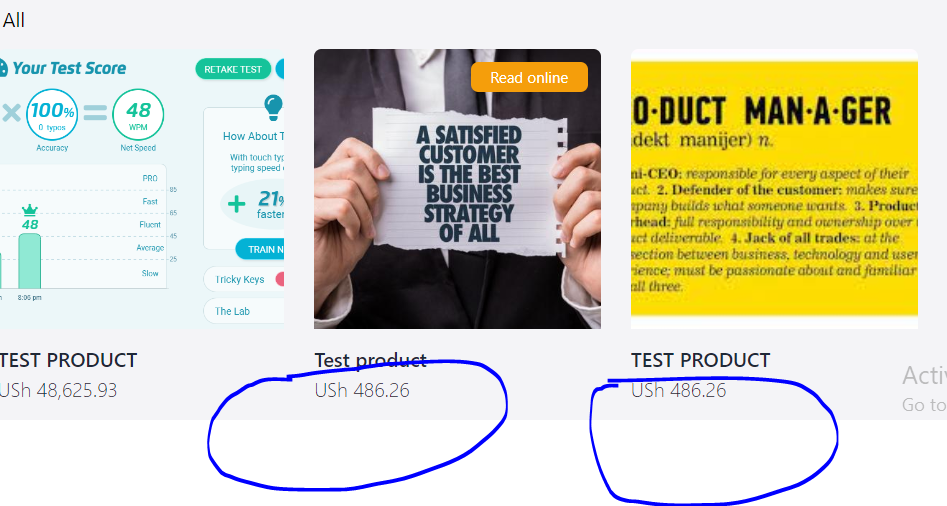
- Click on "Buy now" and choose your preferred payment method.
Selar currently supports Payment via Card, Bank transfer, Mobile Money, Mpesa, Paypal and Stripe
Follow these steps now
Click on "Buy now"
Enter your correct Email address and click "Pay Now"
Choose Payment method
You can also watch this Video guide on how to purchase on selar
Currency Switch
If you want to pay in another curency, you can now switch currency on the store front. Here is how to
- On the store homepage, locate the currency button as displayed below
- Next, click on the drop-down button to see all the 13 currencies supported by Selar
- Now, select the currency you prefer and all the prices on the store will change to the product price in that currency you choose.
P.S: I am switching to UGX from XOF
- Click on "Buy now" and choose your preferred payment method.
Selar currently supports Payment via Card, Bank transfer, Mobile Money, Mpesa, Paypal and Stripe
Related Articles
Pay with Transfer
To pay via bank transfer, Kindly click on "Buy now" on the product page, then proceed to the payment gateway. Here select "pay via bank transfer", after this an account number will be generated for you, with Selar FLW as the account name. (Please do ...Meta Pixel Setup on Selar (Simple Guide for Beginners)
What is a Meta Pixel? A Meta Pixel is a small tracking code from Facebook (Meta) that helps you understand what people do on your Selar store after they see your ads. For example, it helps track: When someone visits your store When someone views a ...Abandoned Transaction
Did you get amail on "Abandoned transaction" A number of reasons are responsible for abandoned transaction notifications, First, is that whenever a customer clicks on “buy now” on any of your products, our system considers that a transaction has ...Simple Guide to Connecting Your Selar Store to MailerLite & Setting Up Automation Tags
Simple Guide to Connecting Your Selar Store to MailerLite & Setting Up Automation Tags Introduction Connecting your Selar store to MailerLite allows you to automatically add customers to your MailerLite audience whenever they purchase a product. You ...Simple Guide to Connecting Your Selar Store to ConvertKit & Setting Up Automation Tags
Simple Guide to Connecting Your Selar Store to ConvertKit & Setting Up Automation Tags Introduction Connecting your Selar store to ConvertKit allows you to automatically add customers to your ConvertKit audience whenever they purchase a product. You ...